


4 Emoji Cleaner to Remove Emojis from Picture/Photo, Including Detailed Steps
Last Updated on September 20, 2025 by Peter Wood
In the age of digital communication, emojis have become an integral part of our daily interactions, adding color, emotion, and personality to our messages. However, sometimes emojis can detract from the clarity or professionalism of a photo, whether it's for a business presentation, family portrait, or creative project. Fortunately, there are professional tools known as emoji cleaners that allow users to seamlessly remove emojis from images or photos. In this article, we'll explore four emoji cleanup tools and provide detailed steps on how to use them effectively to achieve clean, emoji-free images.

Part 1: How to Delete Emojis from Picture on a Computer
There is no better way to remove emoji from photos on your computer than to use a professional emoji cleaner directly to remove emoji from images. WidsMob Watermark Cleaner is a powerful and easy-to-use software that allows you to remove emojis, logos, text, and other unwanted objects from photos and images . It uses advanced algorithms and machine learning techniques to automatically detect and remove watermarks, saving you time and effort.
1. Support multiple image formats, including JPEG, PNG, BMP, TIFF, and so on.
2. Provide multiple watermark selection tools, including Brush and Rectangle.
3. Customize settings to fine-tune the emoji removal process to get the best results.
4. Batch import multiple images to maximize time-saving.
Step 1: Choose to install WidsMob Watermark Cleaner on your computer and launch the software. At this point in the homepage of the software, you will be able to see 4 different functions. These 4 functions are Add/Remove Watermarks for Video and Add/Remove Watermarks for Photo. When you want to remove emojis from your photos, then you need to click the Photo Watermark Removal button to enter the corresponding function page.

Step 2: On the page, you need to click the Add Files button to summon the dialogue box where you can select photos and import them into the software. After the import is successful, you will be able to view the images on the left side of the page, of course, you can also import more than one photo at a time to save time.

Step 3: In the image list on the left, select a photo to make it appear in the preview box. On the right side of the preview box, there are a series of tools that will enable you to select the emoji. In Selection, there are 2 tools, Brush and Rectangle, respectively, for you to choose from. Depending on the shape of the emoji, select the appropriate tool to highlight it.

Step 4: While the emoji is in the process of selection, you can use the Erase tool to trim the edge part. In Output Location, choose the storage address of the emoji after removal, after successful selection, click the Export button, and the target file will be exported to the software.

Part 2: Online Emoji Cleaner to Delete Emojis from Photo
AniEraser is an AI-powered tool designed to remove unwanted elements from images and videos, such as watermarks, text, or any other unwanted objects. It makes use of advanced AI algorithms to analyze and process image content for efficient and intuitive editing. In addition to being able to remove watermarks and unwanted objects from videos, it can also be used to remove any elements from images, including removing emoji from images.
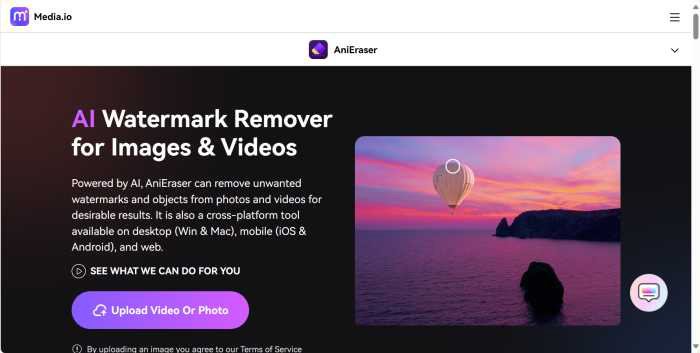
Step 1: Open a browser on your computer and type https://anieraser.media.io/ to enter AniEraser’s official web page directly. Click the Upload Video or Photo button on the page to enter the specific editing page. Click the Upload Here button to upload the image with emoji to the website.
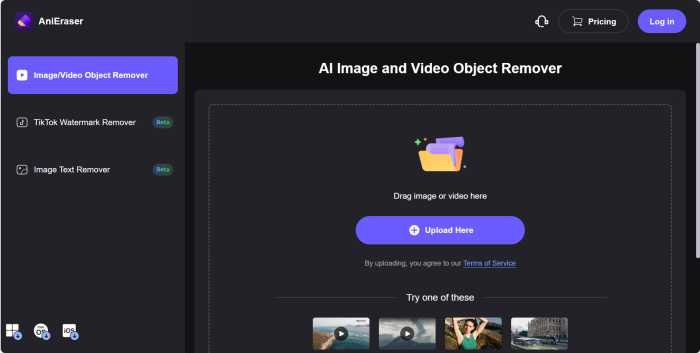
Step 2: Once the image has been uploaded, by using the Brush tool, you will be able to select the emoji's position on the page and highlight it. During the selection process, you can control the size of the brush by adjusting the slider of Brush Size.
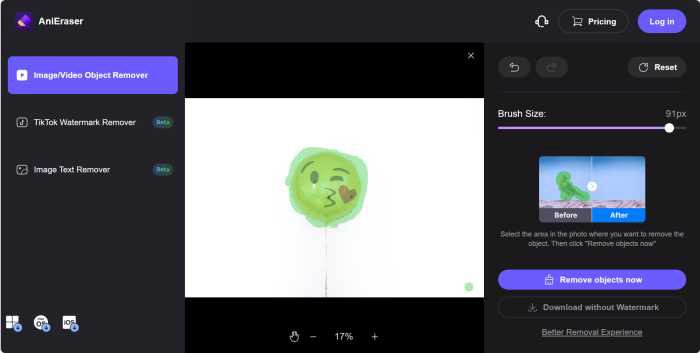
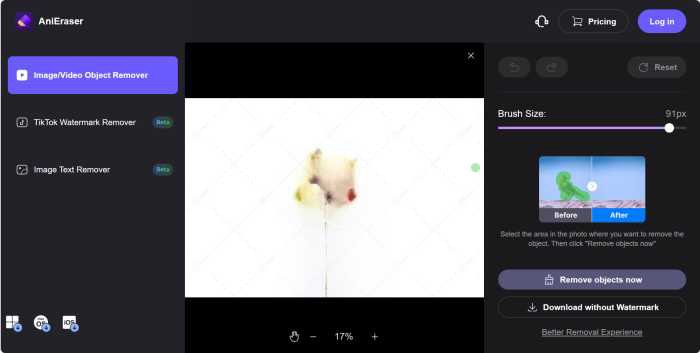
Step 3: After successful selection, click the Remove Objects Now button to preview the removed emoji. After successful removal, click the Download without Watermark button to save the emoji-free image on your computer.
Part 3: The Fastest Way to Delete Emoji on iPhone/Android
Method 1: Snapseed
Snapseed is a popular and powerful photo editing app. It is available for iOS and Android devices and is known for its wide range of editing tools and intuitive user interface. Snapseed offers professional-grade editing features that make it a favorite among amateur and professional photographers, which also include the ability to remove elements you don't want in an image, so you can use it to remove emoji from photos.
Step 1: Install Snapseed on your phone, after successful installation, launch the app, there is a + icon on the homepage, click it to import the image you want to delete emoji. After successful import, in the app, you will be able to view the image and also be able to select it by different looks.

Step 2: Click the Tools button in the toolbar below, and the page that pops up will have a lot of tools you can use to edit the image. Since you want to delete the emoji, you need to select the Healing tool and enter the editing state.

Step 3: Highlight the emoji in the image, after it is displayed successfully, click the OK icon, and then you can delete the emoji in the image and save the content on your mobile phone.
Method 2: TouchRetouch
TouchRetouch is a popular photo editing app for iOS and Android devices. When it comes to removing emojis in pictures, TouchRetouch offers a powerful object removal tool that allows you to quickly and easily remove unwanted emojis from your photos.
Step 1: Install TouchRetouch on your mobile phone. Once installed, launch the app, click the Albums button, and in the system's gallery, select the image with the emoji and import it into the app.
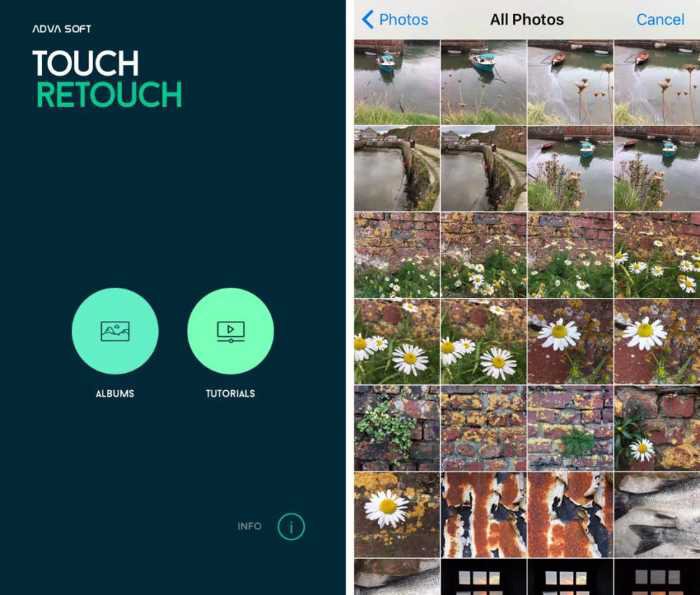
Step 2: After the image is imported successfully, you will be able to select the tool at the bottom to remove the emoji. 4 tools are available here, they are Object Removal, Quick Repair, Line Removal, and Clone Stamp. Click the Object Removal button to go to the editing page.

Step 3: Use the Brush or Lasso tool to select the emoji in the image, after successful selection, click the Export button, select Gallery as the storage address, and export the picture with the emoji removed successfully.
Part 4: FAQ of Emoji Cleaner
Conclusion
In conclusion, emoji cleanup tools offer a convenient and efficient solution for removing emojis from images or photos, allowing users to achieve polished, professional image results for a variety of uses. Whether you're editing photos for personal use, professional presentations, or creative projects, these tools provide by flexibility and precision needed to easily remove emojis. By simply following the detailed step-by-step instructions provided with each Emoji Cleaner, users can confidently edit their images and create visually appealing content that resonates with their audience. Use the power of Emoji Cleaners to open up new possibilities in your photo editing endeavors!