


Mpix Photo Books Review: Is It Worth Choosing for Premium Photo Prints?
Last Updated on June 29, 2026 by Rhea Cabalida
Creating a photo book involves more than picking a cover design or page layout. Once a book is printed, replacing blurry photos, weak compositions, or poor paper choices isn't possible, making the printing service and the images equally important.
During our testing of Mpix Photo Book, we evaluated how its strong reputation among photographers for producing high-quality photo prints and professionally bound photo books holds up in practice. Unlike some competitors that focus on decorative templates and scrapbook-style designs, we observed that Mpix puts more emphasis on print quality, paper selection, and craftsmanship.

In this Article:
- Part 1: Is Mpix Worth It?
- Part 2: Print Quality and Book Options
- Part 3: Editor and Design Experience
- Part 4: Pricing and Overall Value
- Part 5: Mpix vs. Other Photo Book Services
- Part 6: Preparing Photos Before Uploading
- Part 7: How to Create a Photo Book on Mpix

WidsMob Viewer Pro
WidsMob Media Viewer - View single image, multiple images, folder-based images, and videos in incredible fast speed and simple operation with various viewing modes. You can browse all your photos (including RAW files) and videos in one window without extra clicking and operating.
Quick Specifications
| Starting Price | Best For | Standout Feature | Software Ease of Use |
|---|---|---|---|
| Around $20 (Economy) | Wedding albums, family keepsakes, and photo portfolios | Exceptional color accuracy and premium paper options | Straightforward but lacks advanced design tools |
That difference makes Mpix appealing for family albums, wedding memories, travel collections, and photography portfolios. During our hands-on review, we found the online editor is not the most feature-rich in the industry, but the final output justified the trade-off.
This review examines Mpix from a buyer's perspective. You'll learn how the editor works, what customization options are available, how the finished books compare with competing services, and whether Mpix is the right choice for your next project.
Is Mpix Worth It?
Mpix remains an excellent choice for users who value production quality over flashy design tools. Our tests confirmed that the service delivers professionally printed photo books with premium materials, although shoppers looking for extensive templates or highly creative layouts may find more flexibility elsewhere.
Choosing a photo book service often comes down to priorities. Some companies focus on creative freedom, while others concentrate on producing prints with accurate colors, sharp details, and durable binding.
Mpix falls into the second category. Instead of offering hundreds of themed templates, the platform emphasizes high-quality printing, multiple cover options, and paper finishes that appeal to photographers and anyone who wants a polished keepsake.
Pros and Cons
| Pros | Cons |
|---|---|
| Excellent finished results with sharp detail and rich colors | Fewer templates than some competitors |
| Premium paper and cover options | Creative customization is more limited |
| Suitable for family albums, gifts, and photography portfolios | Online editor lacks advanced alignment and undo history tools |
| Straightforward ordering process | Packaging protects well, but includes non-recyclable plastic wrap |
| Durable binding that stands up to regular handling | Higher-end products can cost more than budget alternatives |
Who Should Choose Mpix?
Buyers who care more about the finished photo book than endless customization options are likely to appreciate what Mpix offers.
The service is well-suited for:
- Families creating vacation, birthday, or holiday albums
- Photographers printing portfolios or client gifts
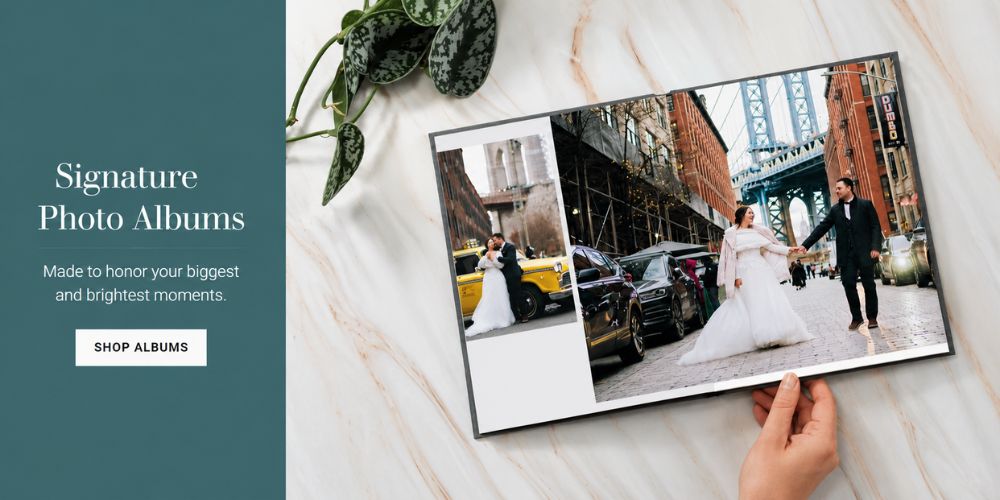
- Couples designing wedding or anniversary photo books
- Anyone looking for durable paper and professional-looking prints
Who Might Prefer Another Service?
Not every project requires premium printing. You may want to consider another photo book provider if you:
- Prefer hundreds of pre-designed templates
- Enjoy scrapbook-style layouts with decorative graphics
- Want extensive drag-and-drop customization
- Need collaborative editing features for group projects
For example, Mixbook offers more creative freedom for custom layouts, while Shutterfly provides a larger collection of themed templates. Blurb remains a popular option for self-publishing projects and professional portfolios.
Our testing showed that choosing the right service is only part of the process. Even the highest-quality printer cannot improve blurry, poorly cropped, or low-resolution photos, which is why preparing your images before uploading them is just as important as selecting the company that prints the book.
Print Quality and Book Options
Print quality is the biggest reason many buyers choose Mpix over competing photo book services. Strong color reproduction, high-end paper choices, and durable binding help the finished book feel more like a professionally printed album than a casual photo gift.
A beautiful layout cannot compensate for poor printing. Color accuracy, sharpness, paper texture, and binding quality have a much greater impact on how a photo book looks years after it arrives.
Rather than filling the editor with decorative effects, Mpix focuses on producing high-quality printed books that showcase the photos themselves.
Print Quality
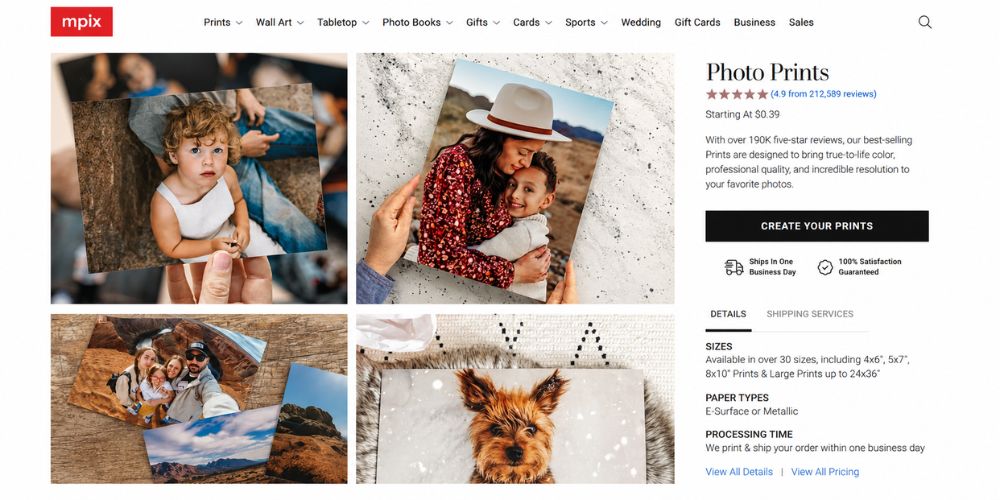
Based on our evaluation of Mpix's professional photo printing, their photo books produce sharp detail, natural-looking skin tones, and consistent color when supplied with high-resolution source images.
The final result depends heavily on the source images. Photos taken with modern smartphones or dedicated cameras produced excellent results in our tests, while screenshots, heavily compressed images, or low-resolution downloads appeared soft when printed on larger pages.
For the best outcome:
- Use the highest-resolution images available.
- Avoid heavily compressed social media downloads.
- Check each photo for blur before uploading.
- Crop carefully to prevent important details from being trimmed during printing.
Paper and Cover Options
Paper selection changes both the appearance and feel of a photo book. A glossy finish can make colors appear more vibrant, while matte or lustre finishes reduce glare and fingerprints.
Cover choices vary by book type and include softcover and hardcover formats. Upgraded books also offer additional finishing options for buyers who want a more polished presentation.
If the book is intended as a gift or long-term keepsake, we found that upgrading the cover or paper makes a noticeable difference in durability and presentation.
Book Styles
Instead of offering one universal product, Mpix provides several photo book styles designed for different budgets and uses.
The main options include:
| Book Type | Best For |
|---|---|
| Economy | Everyday family albums and casual projects |
| Softcover Panoramic | Lightweight travel books and gifts |
| Premium Panoramic | Wedding albums, portfolios, and special occasions |
We found the panoramic formats particularly well-suited for landscape photography because wide images extend naturally across two-page spreads.
Custom Sizes and Layouts
Most buyers can begin with a standard template and customize page layouts as needed. Users who prefer more control can also work with downloadable design templates for selected products before uploading finished pages.
That flexibility appeals to photographers and designers who already use editing software and want complete control over the final layout.
Editor and Design Experience
The Mpix editor favors simplicity over complexity. During our design tests, we built a book easily without a steep learning curve, although the editing tools felt less flexible than those offered by some competing services.
The online editor helps users organize photos, adjust layouts, and complete a project without requiring graphic design experience. Navigation is straightforward, making the learning process relatively short for first-time buyers.
Instead of overwhelming users with advanced editing tools, Mpix concentrates on the essentials needed to create a clean, professional-looking book.
Templates and Customization
Template variety is one area where some competitors have an advantage.
Services such as Mixbook and Shutterfly provide a wider range of themed layouts, seasonal designs, and decorative graphics. Mpix takes a simpler approach by offering clean layouts that place the focus on the photographs.
That design philosophy works well for travel photography, family portraits, and wedding albums, where the images should remain the center of attention.
Uploading Photos
The upload process proved straightforward during our trial. Users can upload photos directly from a computer or compatible online sources supported by Mpix.
Large projects naturally take longer to upload, especially when using high-resolution images. We noticed that organizing photos into folders before starting the project makes the online workflow much smoother.
Our Experience and Software Friction Points
Most users can become comfortable with the editor after only a few minutes. Creating pages follows a simple workflow:
- Choose a book type.
- Select the size and cover.
- Upload photos.
- Arrange images on each page.
- Review the project before placing the order.
However, our design test revealed a few friction points. The interface lacks an extensive, granular undo history, meaning if you accidentally alter a complex layout, you may have to rebuild it manually. We also noticed the auto-align feature occasionally resists subtle, manual image placements, forcing users to stick strictly to the preset grid system. Because the interface focuses only on the essentials, there are fewer distractions, but creative freedom suffers slightly as a result.
Pricing and Overall Value
Mpix Photo Book positions itself as a reliable photo printing service rather than a budget option. While some products cost more than entry-level alternatives, our evaluation indicates that the combination of print quality, paper choices, and craftsmanship justifies the higher price for long-term keepsakes.
The final price depends on several factors instead of a single base cost. Book size, page count, cover material, paper type, and optional upgrades all affect the total.
Rather than focusing only on the starting price, consider the overall value. A photo book meant to preserve wedding photos or family memories for years is often worth the extra investment if the materials better match the occasion.
What Affects the Total Cost?
Several options can increase or decrease the final price.
Common pricing factors include:
- Book size
- Number of pages
- Paper finish
- Cover style
- Optional upgrades
- Shipping method
We found that adding more pages is often more affordable than upgrading to a larger book, making page count an important consideration if you are working within a budget.
Shipping and Delivery
Production time and shipping time are separate parts of the ordering process. A book must be printed, assembled, and inspected before it is shipped.
Mpix offers multiple shipping options, allowing customers to choose between standard and faster delivery methods. International orders may also include additional taxes, duties, or customs fees depending on the destination country.
When our test order arrived, we noted that the heavy-duty cardboard packaging protected the book corners perfectly from shipping damage. However, the interior utilizes a layer of clear plastic wrap that is not easily recyclable, which eco-conscious buyers should keep in mind. If the photo book is intended as a holiday or birthday gift, placing the order well before the deadline provides extra time for production and shipping.
Mpix vs. Other Photo Book Services
Mpix excels in photographic output and premium finishes, while competitors such as Mixbook, Shutterfly, Blurb, and Printique each offer different strengths. Choosing the best service depends on whether you prioritize creative editing, publishing features, or professional printing.
No single photo book company is the best choice for every project. Comparing the strengths of each service helps narrow the options based on your needs.
| Service | Best For | Biggest Strength |
|---|---|---|
| Mpix | Premium photo books | Print quality |
| Mixbook | Creative layouts | Design flexibility |
| Shutterfly | Family projects | Template library |
| Blurb | Portfolios | Publishing tools |
| Printique | Professional photographers | Paper options |
Choose Mpix If...
Mpix is a strong choice if your priority is producing a book that looks and feels professionally printed.
Choose Mpix if you want:
- Premium paper and cover options
- Strong print quality
- Clean, photography-focused layouts
- Wedding albums or family keepsakes
- A polished presentation without excessive design elements
Consider Another Service If...
A different platform may better match your workflow if design flexibility is more important than high-end printing.
For example:
Choose Mixbook if you enjoy building highly customized layouts.
Choose Shutterfly if you want a large collection of ready-made templates and themed projects.
Choose Blurb if you are creating a photography portfolio or publishing a book for sale.
Choose Printique if you need professional-grade photo products with advanced printing options.
Preparing Photos Before Uploading
The quality of a photo book begins before the first image reaches the online editor. Reviewing, organizing, and selecting the strongest photos improves the final result more than switching between two high-quality printing services.
Many people upload every photo from a vacation or event, only to spend extra time removing duplicates later. A quick review beforehand usually leads to a cleaner layout and a more enjoyable reading experience.
Several tools can help with this step, depending on your workflow:
- Windows Photos is a good choice for casual users who organize pictures on a Windows PC.
- Apple Photos works well for images already stored in an iCloud library.
- Adobe Lightroom is ideal for photographers editing RAW files and managing large catalogs.
- WidsMob Viewer Pro is a practical option for quickly browsing local folders, reviewing full-resolution images, comparing similar shots, and selecting favorites without importing everything into a photo catalog.
Any application that helps you remove duplicates, compare similar images, and organize your favorites before uploading will improve the final photo book.
WidsMob Viewer Pro
WidsMob Media Viewer - View single image, multiple images, folder-based images, and videos in incredible fast speed and simple operation with various viewing modes. You can browse all your photos (including RAW files) and videos in one window without extra clicking and operating.
How to Create a Photo Book on Mpix
Creating a photo book on Mpix is a straightforward process that begins with choosing a book style and ends with reviewing the project before checkout. Organizing your photos beforehand makes the entire workflow faster and easier.
Although the available book styles may differ over time, the overall process remains similar.
Follow these general steps:
- Sign in to your Mpix account or create a new one.
- Open the Photo Books section.
- Select the book type, size, and cover option.
- Choose the preferred paper type if multiple finishes are available.
- Upload your photos. Arrange the images using the editor.
- Review each page carefully before placing the order.
- Select a shipping method and complete the purchase.
Before confirming the order, check each page for image placement, cropping, spelling mistakes, and page order. Spending a few extra minutes on the final review is much easier than replacing a printed book later.
Frequently Asked Questions
Final Verdict
Mpix is an excellent choice if print quality matters more than extensive design tools. Premium paper options, durable binding, and strong color reproduction make the service well-suited for family albums, travel books, wedding memories, and photography portfolios.
Before placing an order, take a few minutes to review and organize your photos. Using tools such as Windows Photos, Apple Photos, Adobe Lightroom, or
WidsMob Viewer Pro can help you remove blurry or duplicate images, resulting in a cleaner, more polished photo book.
Overall, Mpix remains one of the better choices for photographers and families who prioritize dependable print quality over elaborate design features.