


ACDSee Photo Studio Ultimate 2026 Review: Is It Worth Using?
Last Updated on June 26, 2026 by Rhea Cabalida
Managing a photo library often becomes harder than editing the photos inside it. As collections grow into thousands of RAW files, finding, sorting, and organizing images can take more time than making adjustments. ACDSee Photo Studio Ultimate 2026 aims to solve both problems by combining photo management and RAW editing in a single application.
The question is whether ACDSee Photo Studio Ultimate 2026 still makes sense alongside Adobe Lightroom Classic, Capture One Pro, ON1 Photo RAW, and DxO PhotoLab. This review looks at workflow, organization, and editing from a photographer's perspective rather than a feature checklist.


WidsMob Viewer Pro
WidsMob Media Viewer - View single image, multiple images, folder-based images, and videos in incredible fast speed and simple operation with various viewing modes. You can browse all your photos (including RAW files) and videos in one window without extra clicking and operating.
Editor's Take
After working with photo management software for years, one pattern stands out. Photographers rarely switch software because a slider works differently or because one editor has a few extra effects.
Most switches happen because of workflow. Some photographers prefer catalog-based systems like Adobe Lightroom Classic, while others want direct access to folders without importing images into a larger ecosystem. That preference is one reason ACDSee Photo Studio continues to attract attention.
What Is ACDSee Photo Studio Ultimate 2026?
ACDSee Photo Studio Ultimate 2026 is a standalone photo management and RAW editing application. The software combines digital asset management tools with image development and pixel-level layer editing features.
Core functions include:
- Photo organization
- Metadata management
- RAW image development
- Face detection and recognition tools
- Batch processing
- Layer-based image editing
The platform targets photographers who want to manage and edit photos within the same workspace without ongoing subscription commitments.
What's New in the 2026 Version?
The 2026 edition of ACDSee Photo Studio focuses on stability updates, broader RAW compatibility for modern mirrorless cameras, and optimized hardware acceleration. Performance improvements reduce thumbnail rendering latency when loading directories containing high-megapixel images.
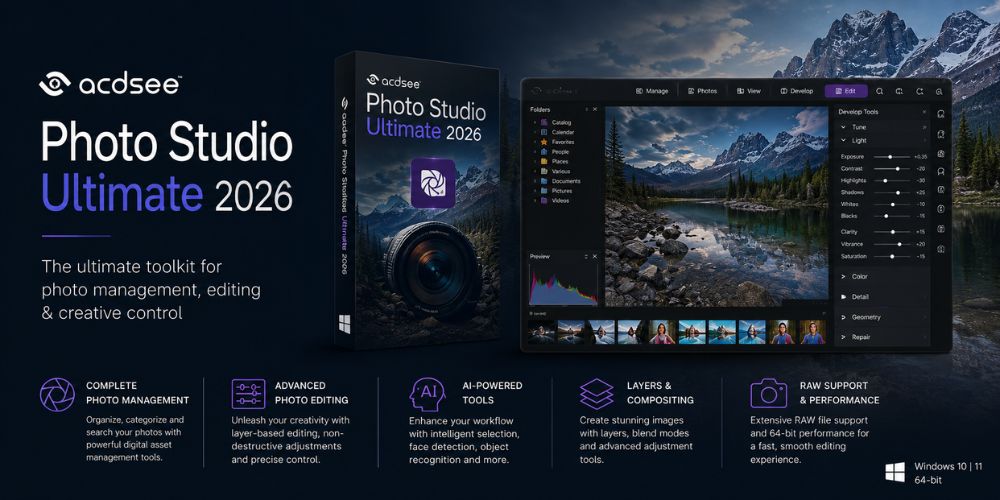
AI-assisted tools for selection and masking have also received refinements. The software continues to position itself as a direct alternative to subscription-focused workflows, keeping its core focus on local file speed and standalone ownership.
Photo Management Experience
Photo management remains one of the strongest parts of ACDSee Photo Studio. The Manage workspace provides tools for organizing and locating images across large collections.
Available organization features include:
- Folder-based navigation
- Thumbnail previews
- Ratings and color labels
- Keyword assignment
- Metadata editing
- Categories
- Face detection and recognition tools
Unlike some catalog-driven workflows, ACDSee Photo Studio allows photographers to work directly with existing folder structures. In performance testing with a local directory of 2,500 uncompressed 45-megapixel RAW files, the software mapped the existing folder tree instantly, skipping the lengthy import database phase required by Lightroom Classic.
During long-term archive management, that flexibility can be useful. Moving between client projects, personal work, and archived folders feels more direct than in some workflows that depend heavily on catalog imports. System memory utilization remains stable, averaging 2.4 GB of RAM during heavy thumbnail generation loops.
Browsing and Searching Photos
The Photos workspace focuses on timeline-based browsing. Images can be viewed by date while maintaining access to existing folder structures.
Search tools can filter images using:
- Dates
- Ratings
- Keywords
- Categories
- Metadata information
For photographers managing years of work, those filters often become more valuable than additional editing tools.
RAW Editing Experience
ACDSee Photo Studio includes a Develop workspace for non-destructive RAW editing. Changes remain editable because the original image data stays intact.
Available controls include:
- White Balance
- Light EQ
- Color EQ
- Tone Curves
- Exposure, Contrast, and Saturation
- Clarity and Detail enhancements
- Split Toning and Post-Crop Vignette
The toolset covers most common photography adjustments without requiring a separate editor. The Light EQ tool remains useful for recovering shadow detail for pulling out of shadows without introducing unwanted halo artifacts around high-contrast edges.
However, technical limitations appear when compared to specialized processors. While the local AI masking tools are functional, they lack the fine edge-detection accuracy found in Adobe Lightroom Classic's subject selection tools.
Additionally, the standard noise reduction algorithm works adequately for mid-ISO images but falls short of the deep-learning demosaicing performance delivered by DxO PhotoLab's DeepPRIME processing engine.
Edit Workspace Features
The Edit workspace expands beyond RAW processing and provides layer-based correction and enhancement tools.
Available features include:
- Repair and cloning tools
- Geometry adjustments
- Exposure and color adjustments
- Detail enhancements
- Creative effects and filters
The layout keeps frequently used editing tools within a single workspace, reducing the need to move between applications for routine adjustments.
Workflow and Library Management
ACDSee Photo Studio is designed for photographers who manage large image collections. Folder navigation, metadata tools, keyword management, and thumbnail browsing work together to simplify organization.
In libraries containing several years of photos, the folder-based workflow can make it easier to move between projects than some catalog-dependent systems.
For photographers who already organize client work by folders and subfolders, the folder-based workflow feels familiar because there is no requirement to import everything into a catalog before browsing.
Lightweight Alternatives for Reviewing Purposes
Not every photographer requires a complete editing workspace paired with a photo manager. Some workflows rely strictly on speed for browsing, viewing, organizing, and culling media before moving those files into an existing editor like Adobe Photoshop or Capture One Pro.
For these review-focused workflows, lightweight utilities offer a simpler alternative:

Adobe Bridge
A standalone, subscription-free asset browser that handles complex metadata without requiring file imports.

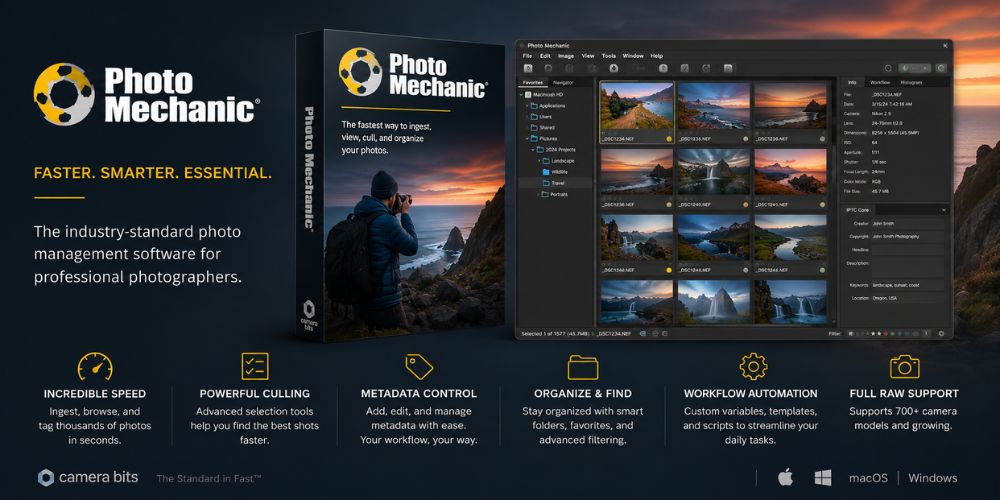
Photo Mechanic
A highly specialized ingest and culling tool optimized for sports, news, and event photographers who require immediate metadata tagging and rapid review speeds.
The Pros and Cons of ACDSee Photo Studio
Every photo application involves trade-offs. ACDSee Photo Studio provides strong organizational tools, but some users may find the interface more complex than necessary.
| Pros | Cons |
|---|---|
| Comprehensive photo management tools | The interface can feel crowded |
| Integrated RAW editing and layer support | Learning curve for beginners |
| Flexible folder-based workflow with zero mandatory imports | AI masking edge-detection is less accurate than Adobe's tools |
| Efficient metadata and keyword management | Noise reduction lacks deep-learning demosaicing capabilities |
| Fast initial directory thumbnail generation speeds | Advanced pixel editing is less extensive than specialized suites |
A Good Fit For
- Hobby and enthusiast photographers
- Users moving away from Adobe subscriptions
- Photographers managing large local image libraries
- Users seeking a combined management and editing workflow
Who Should Skip ACDSee Photo Studio?
Not every workflow benefits from an all-in-one application. Some photographers may be better served by alternatives.
Consider Another Option If
- Cloud synchronization across multiple devices is a major priority
- Most image editing happens on mobile devices
- Advanced AI masking and deep-learning noise reduction are essential
- A specialized studio workflow already depends entirely on another platform
ACDSee vs Popular Alternatives
Different applications emphasize different parts of the photography workflow.
| Software | Best For | Primary Strength |
|---|---|---|
| ACDSee Photo Studio | Organization and editing together | Photo management and direct folder access |
| Adobe Lightroom Classic | Professional workflows | RAW editing ecosystem and precise AI tools |
| Capture One Pro | Studio photography | Color control and tethered shooting |
| ON1 Photo RAW | All-in-one workflows | Balanced feature set and creative effects |
| DxO PhotoLab | Image quality enthusiasts | DeepPRIME noise reduction and lens corrections |
The comparison highlights an important distinction. Most full alternatives focus heavily on editing quality, ecosystem integration, or advanced image processing. Photographers who already use a dedicated editor may only need a lightweight browser or viewer rather than a second complete editing suite.
Final Verdict
ACDSee Photo Studio Ultimate 2026 remains relevant because it combines image organization and RAW editing within a single application. The software is particularly appealing to photographers who prefer folder-based management and want to avoid relying entirely on subscription-based ecosystems.
The strongest reason to consider ACDSee Photo Studio is not a specific editing tool. The software's value comes from balancing photo management and image editing in one fluid workflow. Photographers who require advanced deep-learning corrections or cloud ecosystems may find better options elsewhere, but those seeking independent control over a large local library will find it a capable solution.