


Tips to Make a High-Quality Web Coding Tutorial Video
Last Updated on November 13, 2025 by Rhea Cabalida
If you're a coding enthusiast who wants to share your knowledge, then creating web coding tutorials is something you can do. On platforms like YouTube, you’ll see various coding tutorial videos about web development, app programming, automation scripts, etc.
And these types of videos gather thousands to millions of views. Which is pretty great if you’re also looking for ways to generate some income.
If you’re interested in sharing your skills in HTML, CSS, JavaScript, or any other language, then stay on this page, as we will give the tips and tricks you need to create a professional web coding tutorial video for YouTube and other platforms. Read on!

In this Article:
Tip #1: Know Your Audience & Pick the Right Topic
The very first step in making any video tutorials is figuring out who your target audience will be and the perfect topic to discuss. Planning these things will help you decide what type of video you will be making. Here’s an example:
➡️ If it's for beginners, you will need to cover basic topics, like introducing coding, etc. The content of the video also needs to be explained slowly, and it will require more details as you will be explaining it to people with little to no knowledge.
➡️ For intermediate learners, you will have to cover advanced topics, as they already know the basics. With this kind of audience, a topic that teaches them how to apply their knowledge, like project-based tutorials that combine the basic skills they know. For example, you can cover topics like “How to Build a Portfolio Website with HTML, CSS, and JavaScript,” or “Create a Weather App Using an API”.
➡️ For an audience with advanced to expert knowledge, your web coding tutorial video should be about in-depth explanations and optimization techniques. You can dive into more complex topics like framework integration, performance tuning, or automation scripts.
Tip #2: Content Outlines Make the Process Easier
If you already have an idea in mind, then you can start creating the structure of your coding tutorial video. Having a clear outline will help you create a more structured video.

Your outline should include the three main parts of a video: the intro, demo section, and summary/conclusion. List down these sections on your outline, and start planning what will happen or what you are going to say. For example:
➡️ In the introduction, you can greet your audience and introduce yourself. Then start discussing the topic you will discuss, what the audience will learn during and after the video.
➡️ The demo section is the main part of the video; this is where you will discuss the actual topic. Here, you may need a script to follow so you won’t get confused and to get all the steps in order.
➡️ For the conclusion part, you can summarize the demo section and mention some tips, etc. This is also the part where you can ask the audience to subscribe, follow, etc.
Remember, planning saves time, reduces errors, and makes editing smoother later.
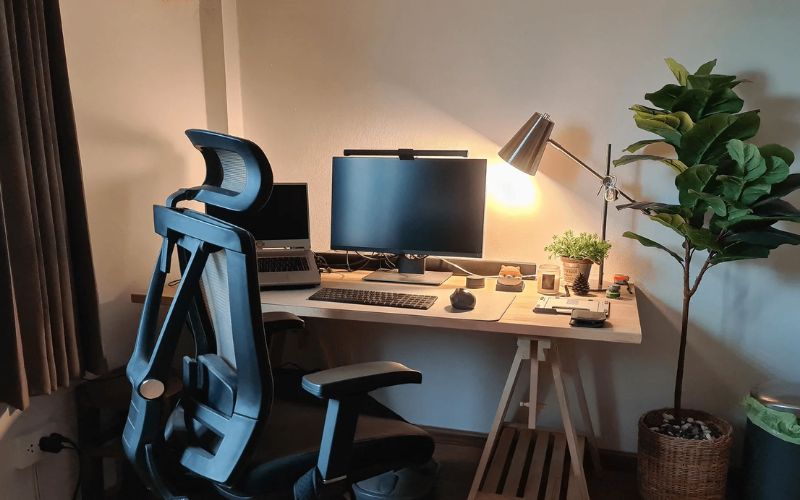
Tip #3: Clean & Well-Organized Workstation
An organized setup will help you function better; the less clutter, the more focused you get.
Before you start working, try to clean up your surroundings. If you’re recording yourself, fix your background and make it look neat. Also, fix your lighting and close your windows or door to block out background noise.
For your equipment, check your microphones and cameras to see if they are working properly. Re-arrange the cables to avoid connection issues. Your computer also needs to be ready, remove unnecessary tabs, and only open those that you need.
For your code editor, choose a color theme with high contrast and clear syntax highlighting. You can use Monokai, One Dark, or Dracula to make your code easy to read, even in HD recordings. Adjust your font size to be large enough for viewers to see comfortably, preferably between 16 to 20 px.
Tip #4: Use a Reliable Screen Recorder
One of the most important things you’ll need when creating a web coding tutorial video is a good-quality screen recorder. This tool will capture both your coding tutorial and your voiceover. So, to produce a high-quality tutorial, you need a screen recorder that can create professional-grade outputs.
And with that, we highly recommend WidsMob Capture. This tool captures HD and 4K resolutions, assuring you won’t have to deal with blurry and pixelated videos. It also has a sound recording feature that can capture crisp and clear audio.

Aside from that, WidsMob Capture also has:
- Annotation and cursor highlighting
- Adjustable recording area
- No time limit or watermark
- Webcam recorder
- HD or 4K recording
- Microphone and system audio recording
- Video editing tools
And to top it all off, WidsMob has a user-friendly and accessible interface. It's perfect for newbie and seasoned creators. It’s one of the most trusted tools for screen recording. Try it now!
You can also use other screen recording tools, such as OBS Studio and Camtasia by TechSmith.
Tip #5: Edit & Polish your Video
This is the most time-consuming part of creating a coding tutorial video, and if you’re new to editing, you might get stuck in this step for a while.
But there’s nothing wrong with taking your time, as long as you achieve a well-edited tutorial. So here are some tips to help you out.
- Use feature-rich video editors like Premiere Pro, DaVinci Resolve, or CapCut
- Trim long pauses and errors
- Watch the footage you recorded and decide whether to add it or not
- Keep your video under 10 minutes
- Add annotations on your screen recordings to highlight the steps
- Add transitions between major sections
- Zoom in on certain parts of the screen to show to code better
- Include captions or subtitles for accessibility
- Add an intro and outro clip to add your branding. You can also add a watermark logo
- Export your video at 1080p or higher to ensure sharp video quality
Before exporting, watch your video a couple of times and try to spot any errors you have missed. You can also check how other creators make their videos as a basis.
Author’s Advice
After your web coding tutorial video is published, always remember to be consistent. This will help your channel grow and establish trust among your subscribers.
And also, always keep an open mind on how to improve your content, you can read feedback from your audience and watch other creators. Experiment with new topics, layouts, or recording styles until you find one that suits you.
Whatever type of coding tutorial you’re making, whether it's HTML or building advanced JavaScript projects, always remember that what matters most is clarity, quality, and passion.
By following the tips listed above, you can create engaging, professional tutorials that can potentially stand out and hopefully create your own branding.
To capture high-quality screen recordings for any tutorial, we highly suggest using WidsMob Capture. This amazing tool is packed with all the features an online creator will need to make the most outstanding content. Try it out!